


ProtonDB: The Practical Guide for Linux Gaming

Plenty of people ask: “Can I actually play Windows games on Linux without going nuts over compatibility fixes?” The answer isn’t theoretical – it’s practical. Every time you launch a game on Linux, you have that same doubt: will it actually work? That’s exactly where ProtonDB steps in: a community-powered platform, built by gamers who have faced those challenges themselves.
What Is ProtonDB and Who Needs It
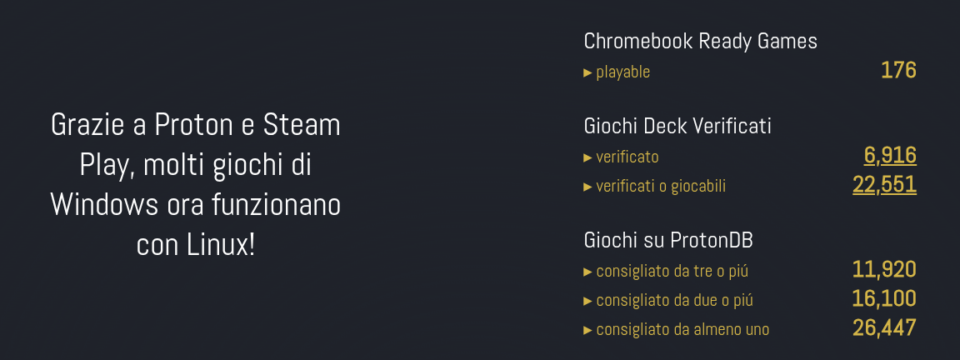
ProtonDB is a site gathering what I’d call “field reports” from Linux gamers: every entry shares whether a game works with Proton, Valve’s tool that lets you run Windows games through Steam Play on Linux.
How It Actually Works
- Anyone can submit a report, specifying the version of Proton or Linux used, their hardware, and any tweaks needed to fix problems.
- Results are aggregated: you get an honest, up-to-date snapshot that’s valuable for both total newbies and veterans with experience in Wine, Lutris, and all their “magic” gaming variants.

Why ProtonDB Is Essential
Mini PC users and those on older hardware especially benefit: before spending money or time on Steam, a quick search on ProtonDB lets you know if your game of choice truly delivers a good experience.
Proton, Steam Play, and Real-World Compatibility
Proton bundles Wine, DXVK, and other tools into a “ready-to-go” solution. As a player, you hit “Play” in Steam – and if all goes well, you’re gaming just like on Windows. The difference is the ProtonDB community: they suggest workarounds, fixes, and test games on dozens of real configurations. This makes it more useful than random forums: zero theory, just practical day-to-day advice.

FAQ
Is ProtonDB useful for brand-new AAA games?
Yes: new releases often get rapid reports, super useful for knowing whether to buy right away or wait for community fixes.
What’s the difference between ProtonDB and Steam Deck Verified?
Steam Deck Verified is Valve’s official seal for the handheld console; ProtonDB collects independent feedback for desktop Linux and all hardware – including Mini PCs.
Why choose ProtonDB over forums or social media?
ProtonDB is filtered and aggregated, not scattered: each game page provides a summary of reports, bug fixes, genuine feedback, and useful links.
Do I have to use Steam and only Proton?
Not at all: you can check ProtonDB just for support/tips, without installing Steam or sticking to Proton exclusively.