

Hypnotix: Stream TV on Linux Simply and Legally

Ever wanted to stream TV on your Linux PC without jumping through hoops? Hypnotix might be exactly what you need. Minimalistic, user-friendly, and built for simplicity—it lets you watch TV channels via streaming on Linux, often already included in distributions like Linux Mint. Let’s explore how it works, how to set it up, and what to watch out for.
What is Hypnotix?
- Hypnotix is an open-source TV streaming application.
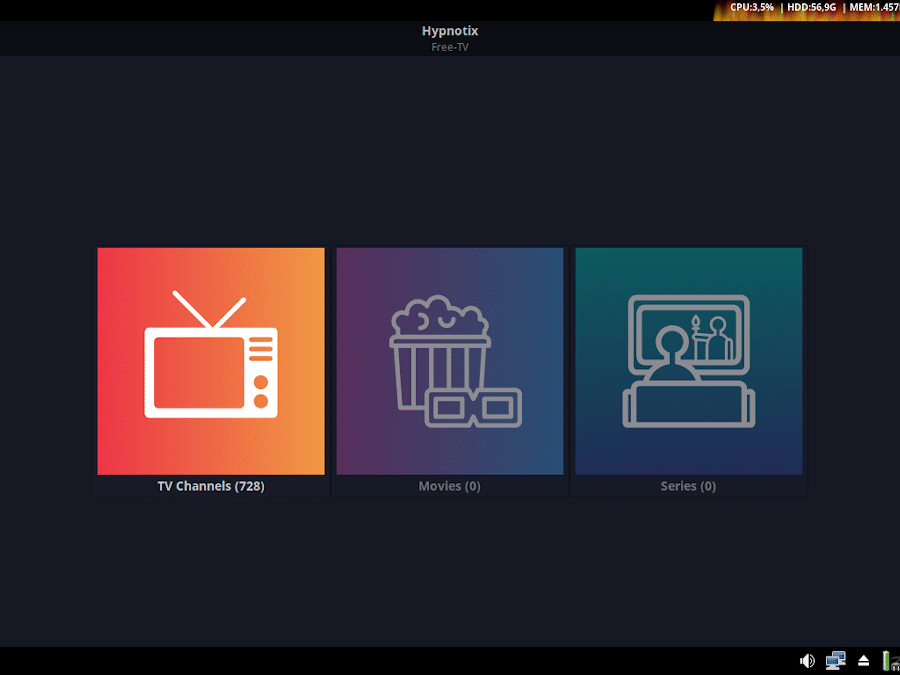
- It comes preinstalled on Linux Mint (Cinnamon, MATE, XFCE) with default M3U lists of many international channels.
- Allows also to load your own M3U list, using a graphical interface.
How to Install and Use Hypnotix
Installation
If you have Linux Mint: often already installed. Otherwise:
- Check your distribution’s software center.
- Or install via terminal (if the package is available).
Using Channels & Lists
- Use default M3U lists included.
- To add custom lists: copy your M3U file, open Hypnotix → add list.
- Be aware: some channels may break or be outdated (community-maintained lists).
Legal & Safety Notes
What to consider
- Hypnotix simply plays streams; its legality depends on the source of those streams. If the M3U list contains only legal, authorized content, it’s okay. If not, risks increase.
- Use only trusted and legal sources.
Security tips
- Keep Hypnotix and your OS updated.
- Don’t use pirated lists.
- If possible, use a VPN to protect privacy when streaming.
Alternatives
If Hypnotix isn’t available or you want different features, you can try:
- Kodi with IPTV add-ons
- VLC with M3U list support
- Web-based streaming from legal sites

FAQ
Is Hypnotix legal?
Yes, if you use legal streaming sources. Hypnotix itself is just a player; legality depends entirely on what streams you load.
Does Hypnotix work on all Linux distros?
It works best on those that include it (Mint). On others you may need to install it manually if it’s available in repositories or build from source.
Can I use Hypnotix securely?
Sure stick to legal lists, avoid shady sources, keep software updated, consider using VPN for privacy.
Internal Resource
If you want to speed up playback on Linux when RAM is low, take a look at our guide on ZRAM.
External Resource
- Installing applications on Linux Mint/Ufficio Zero – explanation and complete overview.
- IPTV project on GitHub – open-source M3U lists updated by the community.
Conclusion
Hypnotix is a simple, open-source solution for watching streaming television on Linux. When used with legal sources and with attention to security, it can be an excellent companion for your evenings in front of the screen.
👉 Are you looking for a ready-to-use Linux Mini PC, configured for streaming, security and performance? Take a look at our Incastro PC e-commerce site and request a customised configuration.
📲 Follow us on Instagram and YouTube for practical guides and open source news.